
The Sunday-Night Lesson Multiplier
One lesson you’ve already planned can become a week of leveled worksheets, a quiz, and quick checks — in about 45 minutes, with AI doing the typing and you keeping the judgement.
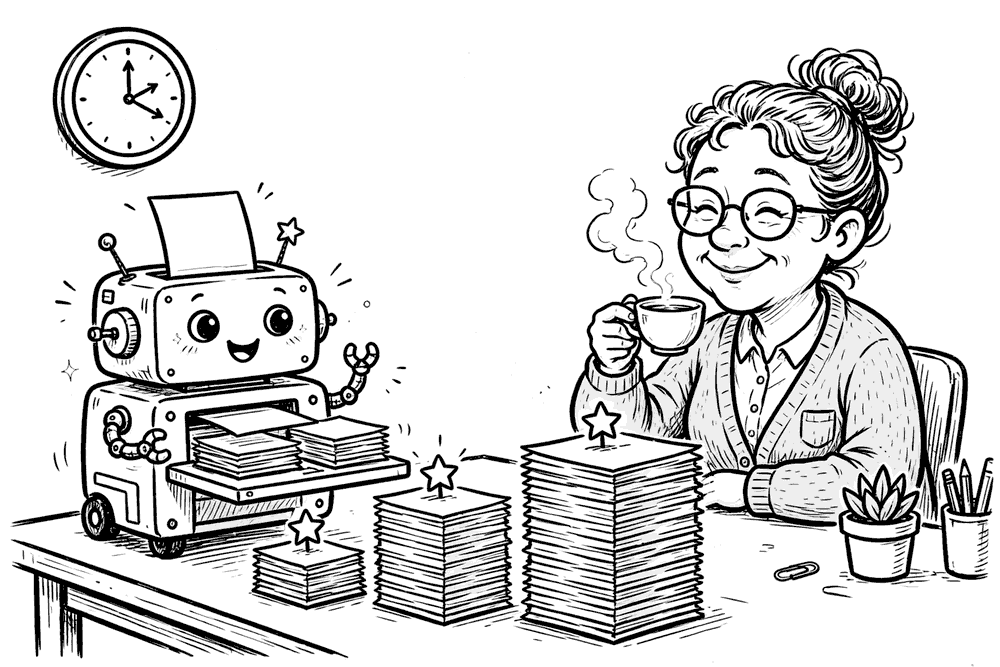
Every teacher knows the Sunday-night maths. Tomorrow’s lesson is planned — genuinely planned, in your head and half on paper. But one plan is never enough. You need the same material at three levels, because your class reads across a five-year range. You need a quiz that checks the actual point of the lesson, not just whether students were awake. You need two-minute checks you can run mid-lesson. By the time all of that exists, Sunday night is gone.
The fix isn’t a better lesson generator. It’s a multiplier: start from the lesson you’ve already designed, and let AI expand it into everything that lesson needs. That distinction matters more than it sounds.
Why multiply, not generate
When researchers followed Shiksha Copilot — an AI lesson-planning assistant built by Microsoft Research India with local partners — in a study of more than 1,000 teachers in fifth- to 10th-grade classrooms in Karnataka, India, teachers saved an average of about two hours a week on lesson planning. But the interesting finding wasn’t the time. It was what the tool produced: materials matched to the local curriculum and culture, not generic worksheets. Teachers still rated at least 81% of the AI-assisted plans “very good,” and the edits were mostly about local nuance — swapping “glasses” for “mirrors,” “chronology” for “timeline” (source: Cornell Chronicle; study on arXiv).
That’s the lesson for the rest of us. AI is weakest when it invents a lesson from a one-line prompt, and strongest when it transforms material a teacher has already thought through. You supply the thinking; it supplies the variations.
The demand is real. In Hanover Research’s 2026 national survey of US parents and educators, 41% of school staff said they must make significant changes to their teaching practices to use AI effectively (source: Hanover Research). And a Gallup–Walton Family Foundation poll of more than 2,200 US public school teachers found that teachers who use AI at least weekly save an average of 5.9 hours a week — most often on exactly this kind of work: preparing lessons, creating worksheets, adapting materials, and making assessments (source: Gallup).
Here is a workflow that fits in one sitting.
The 45-minute multiplier workflow
You’ll need one chat with any capable AI assistant — the steps below work the same in ChatGPT, Claude, or Gemini. Keep everything in one conversation so the AI retains your lesson context.
Step 1 (5 min): Hand it your lesson, not a topic
Paste your lesson plan, a textbook extract, or even rough notes. Then set the scene in general terms: subject, year level, the one idea students must leave with, and the range in your class (“reading ages roughly 9 to 14”). General ranges are fine. Names, grades, and anything that identifies a real student never go in — more on that below.
Step 2 (10 min): Build the core worksheet
Ask for the version you’d hand to the middle of the class first, with a full answer key for you. Getting the core right anchors everything else.
Step 3 (10 min): Level it up and down
This is where the multiplier earns its name. One lesson, three entry points — same ideas, different scaffolding.
Step 4 (10 min): Quiz and hinge questions
A short quiz for the end of the week, plus “hinge” questions: the two or three questions mid-lesson whose answers tell you whether to move on or reteach.
Step 5 (10 min): The quality pass
Never skip this. Details in the checklist below.
Copy-paste prompts
Here is my lesson plan [paste]. Create a one-page practice worksheet for the core group: 8 questions that move from recall to application, a worked example at the top, and a separate answer key with one-line explanations. Plain language, no idioms.
Now make two more versions of that worksheet covering the same ideas. Support version: shorter sentences, a word bank, sentence starters, and the first step of each problem shown. Stretch version: remove the scaffolding, add one question that requires justifying an answer and one that applies the idea to an unfamiliar situation. Keep the numbering parallel to the core version so I can discuss answers with the whole class.
From the same lesson, write a 6-question quiz (4 multiple choice, 2 short answer) with an answer key, and 3 hinge questions I can ask mid-lesson. For each hinge question, tell me what a wrong answer probably means and what I should do next.
The 10-minute quality pass
AI output is a draft, and drafts have failure modes you can catch fast:
- Do the work yourself. Complete every worksheet and check the answer key. AI answer keys can be wrong even when the questions look fine — especially in maths.
- Read for level. If the “support” version still contains three-clause sentences, send it back: “Rewrite at a reading age of about 9. Shorter sentences. Define each technical word when it first appears.”
- Check cultural fit. This was the main edit Karnataka’s teachers made. Swap examples, names, foods, currencies, and settings for ones your students actually live in.
- Hunt invented facts. Dates, statistics, and quotations can be fabricated with total confidence. Verify anything factual against your textbook or a source you trust, or cut it.
- Sanity-check the stretch version. “Harder” sometimes means “more,” or just obscure vocabulary. Harder should mean more thinking.
What not to automate
Keep three things human. Grading judgement — an AI can sort practice answers against a key, but what a grade means for a student’s progress is your professional call. Sensitive feedback — comments on personal writing, wellbeing, or behaviour should sound like you, because students can tell. And student data — never paste identifiable information (names, records, individual results) into a general AI tool. Describe patterns instead: “several students confused X with Y” is all the AI needs. Notably, in the Hanover survey only 56% of staff said safeguards are in place for privacy and data when AI is used at school — so the safest rule is to keep identifiable data out entirely.
Try it this Sunday
- Pick one lesson that’s already planned (5 min to gather your notes)
- Paste it in, describe your class in general terms, generate the core worksheet + answer key (10 min)
- Generate the support and stretch versions with parallel numbering (10 min)
- Generate the quiz and 3 hinge questions (10 min)
- Do the questions yourself; fix the key; localise the examples (10 min)
- Save the four prompts with the lesson — next week, they’re templates
Total: about 45 minutes for what used to eat an evening. One teacher in the Karnataka study called it “burden-releasing” rather than one more demand. That’s the right test for your workflow too: if it isn’t giving Sunday night back, it isn’t a multiplier yet.
Sources
- Cornell Chronicle, “AI tool makes culturally appropriate lessons for teachers in India” (Oct 2026), and the underlying study, “Shiksha Copilot: Teacher-AI Collaboration for Curating and Customizing Lesson Plans in Low-Resource Schools,” arXiv:2507.00456.
- Hanover Research, “National AI Usage in K-12 Survey” (conducted August 2026; released October 2026).
- Gallup & Walton Family Foundation, “Teaching for Tomorrow: Unlocking Six Weeks a Year With AI” (June 2025; 2,232 US public school teachers).
Free newsletter
Get guides like this in your inbox
Practical AI for parents, teachers, and everyday people. Copy-paste ready. Always free.