
The video looks real. It isn’t. The 30-second check before you forward it.
A clip lands in the family group chat. It looks exactly like real footage — and your thumb is already hovering over the forward arrow. Thirty seconds of checking is what stops you becoming the person who spread it.
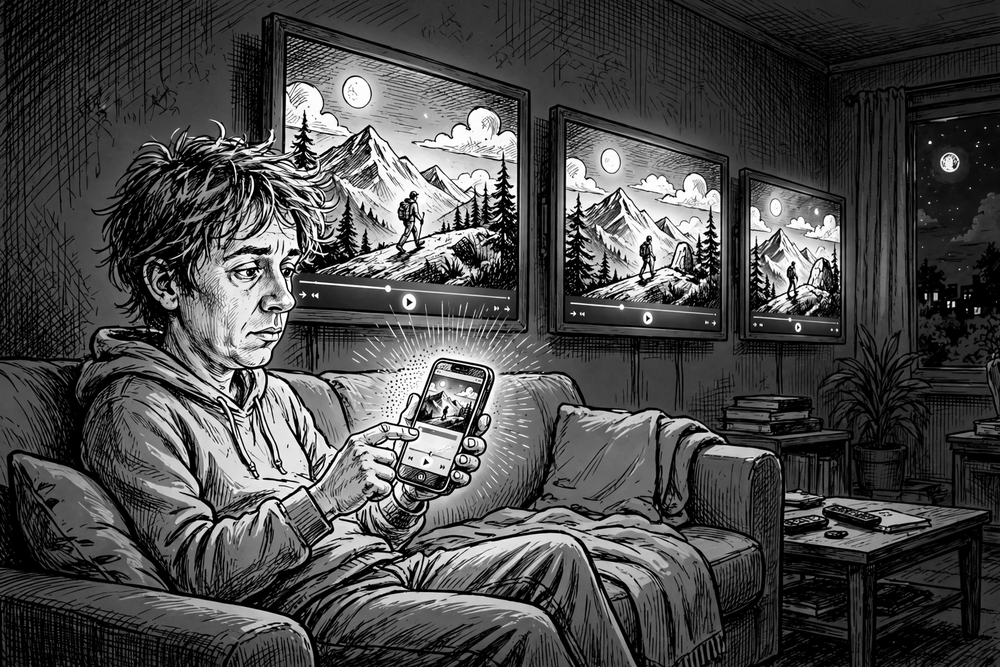
It arrives on a Sunday evening, in the family group chat. A clip of a flood sweeping through a street, or a well-known person saying something outrageous on camera, or a protest turning violent in a city you know. It looks exactly like real footage. The lighting is right, the camera shakes a little, people in the background react the way people react. Someone in the chat has already written “OMG did you see this??” and someone else has forwarded it on.
Your thumb is hovering over the forward arrow. That is the whole moment this article is about — the three seconds between receiving a video and sending it to twenty more people. Once it leaves your phone, you have vouched for it. Your name is on it now, even though you have no idea whether it happened.
Here is the uncomfortable part: your eyes cannot settle this. In one study of 2,000 people in the UK and US, only 0.1% identified every real and fake image and video correctly — even though they knew they were looking for fakes. Not 10%. Not 1%. One person in a thousand got them all right — and that was in early 2025, when the generators were worse than they are now. The fakes have got better since. You have not got better at spotting them, because spotting them was never really a human skill. It is a provenance problem, and provenance is something you check, not something you see.
The good news is that checking has got much easier, very recently. In October 2026 Google opened its SynthID Detector to everyone, for free. The Content Credentials system gives you a way to read a file’s signed history. And the reverse image search you already know works on a single frame of a video. None of these is a magic “real or fake” button — and anyone selling you one is lying — but together, in thirty seconds, they answer the only question that matters before you forward something: is there any evidence this is what it claims to be?
The check, in four steps
| Step | What you do | Time | What it can tell you |
|---|---|---|---|
| 1 | Look for the platform’s AI label | 5 seconds | A label is a confession; no label is not an alibi |
| 2 | Run the original file through C2PA Verify | 10 seconds | Whether the file carries a signed record of how it was made |
| 3 | Run the same file through SynthID Detector | 10 seconds | Whether it carries a SynthID watermark from a major AI generator |
| 4 | Reverse-search one frame | 5 seconds | Where the clip first appeared, and what it really shows |
Thirty seconds, two free official tools, no new app, no account beyond the sign-in the tools themselves ask for. Do the steps in order. Stop the moment one of them gives you a clear answer — but never treat a blank result as a clean bill of health. That rule is the whole check.
Step 1 — Look for the AI label (5 seconds)
Before you tap anything, look at the post itself. Most big platforms now label AI-generated content — a small “AI-generated”, “Made with AI” or similar tag on or under the video, sometimes tucked into the caption or the details panel. If the label is there, you are done: the clip is AI-made or AI-edited, whatever it looks like. Don’t forward it as real footage. If you share it at all, share it as AI-made, with the label visible.
But a missing label proves nothing. Labels depend on the uploader being honest, the platform detecting it, and the label surviving every re-upload — and all three fail regularly. When the Washington Post uploaded a Sora video to eight social platforms in October 2025, only YouTube showed any warning at all — ‘Altered or synthetic content’, hidden in the video’s description. The New York Times found dozens of Sora videos on YouTube with no automated label. Sora itself is gone now — OpenAI shut the app in April 2026 — but the clips it made are still circulating. A clip downloaded from one platform and re-uploaded to another often loses its label on the way. So: label present means AI. Label absent means keep checking.
Since 2 August 2026, the EU AI Act’s transparency rules have required deepfakes to be disclosed by those who publish them — but a rule is not a guarantee, and most of what lands in your group chat was not made with EU rules in mind.
Step 2 — C2PA Verify: read the file’s signed history (10 seconds)
Content Credentials are a signed record stored inside a file — who made it, with what tool, and whether AI was involved. The free official checker is at contentcredentials.org/verify. Open it, drop in the file, and read the verdict at the top.
Two things make this step work, and one thing breaks it:
- Use the original file, not a screenshot or a re-save. The record lives inside the file. A screenshot of a video, or a copy that a social network has compressed and re-saved, usually has no record left at all. If someone sent you the clip as a file, use that file. If you only have it inside a chat app, save or download the original before you check it.
- Read what it actually says. A verdict of “Verified: signed by…” with an AI disclosure is a straight answer. A verdict that the file is unchanged since signing, signed by a camera maker, is evidence it came from a real camera. And “no credentials found” is the commonest result of all — and it means nothing was found, not nothing was done. Most AI generators still don’t attach these credentials, and most viral clips have had them stripped by re-uploads.
So step 2 is a one-way check, like step 1: a positive AI result settles it; a blank result sends you on to step 3.
Step 3 — SynthID Detector: check for the invisible watermark (10 seconds)
This is the newest tool in the check, and the reason this article is worth writing now rather than a year ago. SynthID is an invisible watermark that Google’s AI models — and now several other companies’ models — embed in images, video and audio at the moment they generate them. You can’t see it. A detector can.
On 7 October 2026 Google opened its SynthID Detector to everyone, free, worldwide in English, at synthid.com. Sign in with a Google, OpenAI or Apple account, upload the file, and it tells you whether it carries a SynthID watermark. It reads watermarks from Google’s own models (Gemini, Imagen, Veo) and from participating partners — OpenAI, NVIDIA and Kakao, with Apple images added since. Video files in MP4, MOV or WebM work. There is a daily quota of about ten checks per user, which is plenty for a habit like this: you are checking the one clip you are about to forward, not auditing the internet.
Read the result the way Google itself frames it. The detector’s own homepage says plainly: “This is not a general AI detector.” It finds one specific signal from one group of companies. So:
- Watermark detected means a SynthID-enabled model generated or edited the file. That is a real answer — don’t forward it as genuine footage.
- No watermark detected means no SynthID signal was found. It does not mean the clip is real. Models from Midjourney, Stable Diffusion, Flux and the long list of other generators don’t use SynthID at all, and a heavily edited or re-compressed file can lose the signal. A blank here is not a pass. It is a shrug — and a shrug is not enough to forward.
One more honest limit: a real photo touched up with a Google AI editing tool can carry the same watermark as an image generated from scratch. The detector tells you a SynthID-enabled model was involved, not whether the whole scene is invented.
Step 4 — Reverse-search one frame (5 seconds)
If the first three steps all came back blank, do the oldest trick in the book, applied to video. Pause the clip on a clear, distinctive frame — a street sign, a building, a face mid-sentence, an unusual detail — screenshot it, and run that image through a reverse image search (Google Lens is the one most people already have). You are asking one question: has this footage appeared before, somewhere else, as something else?
What you are looking for:
- The same clip, earlier, with a different story. The flood footage from “yesterday” turns out to be from a storm three years ago in another country. The protest clip is from a film set, or a different city, or a different year. Old footage with a new caption is the commonest fake of all — no AI needed, and no watermark will ever catch it, because the footage itself is real. Only the story is false.
- The same clip labelled as AI on its first posting. The creator’s own upload, or a fact-checker’s page, saying what it is.
- Nothing at all. A clip of a supposedly major event that appears nowhere else on the internet — no news report, no other angle, no earlier posting — is itself a signal. Real events leave traces. A dramatic event with exactly one copy, posted by an account you don’t know, deserves more than a shrug.
Five seconds, one frame, and you have done more verification than most of the people who forwarded it before you.
Read the result like this
| What you found | What it means | What to do |
|---|---|---|
| An AI label, a C2PA AI disclosure, or a SynthID watermark | The clip is AI-made or AI-edited | Don’t forward it as real. Share it only as AI-made, label visible — or not at all |
| A C2PA record signed by a camera maker, unchanged since capture | Real footage, from a real camera | Still check step 4: real footage can carry a false story |
| Reverse search finds the same clip earlier, elsewhere | Old or mislabelled footage | Don’t forward it with the new story. If you reply, reply with the original source |
| All four steps blank | No evidence either way | Don’t forward it. A blank check is not a pass — it’s the reason to stop |
That last row is the one people get wrong, so say it plainly: if you can’t verify it, you don’t forward it. Not “forward it with a question mark”. Not “forward it and let people decide”. A question mark does not survive the next forward — by the third share, the question is gone and only the clip remains, now carrying your name as its latest voucher. The cost of not forwarding is nothing. The cost of forwarding a fake is someone else’s panic, someone else’s reputation, or a donation sent to a disaster that never happened.
Try it on a real clip
Next time a dramatic clip lands in your chat, walk it through the steps out loud — it takes longer to describe than to do:
- Label? Scroll to the post. No AI label visible. Keep going.
- C2PA? Save the original file, drop it into contentcredentials.org/verify. “No credentials found.” Keep going — most viral clips say this.
- SynthID? Upload the same file at synthid.com. “No watermark detected.” Keep going — this only rules out one family of generators.
- One frame? Pause on the street sign, screenshot it, reverse-search it. There it is: the same footage, posted two years ago, from a flood in a different country — and a fact-check page explaining the new caption is false.
Four steps, thirty seconds, and you have an answer you can actually send back to the group: not “I think it’s fake”, but “here’s the original, from 2024”. That reply does more good than any warning about AI in general ever will, because it is specific, checkable, and it stops that clip in that chat.
And if all four steps come back blank and the reverse search finds nothing at all? Then you have your answer too: you don’t know, and neither does anyone else in the chat. Say so, and leave it there.
What not to do
- Don’t forward it to “check with friends”. Asking the group chat whether something is real is how fakes spread — every forward is a new endorsement, and the group has no better tools than you do. Check it yourself, in thirty seconds, before anyone else sees it.
- Don’t upload private videos to random “AI detector” sites. The two tools in this check are the official ones — Content Credentials Verify and Google’s SynthID Detector. A random detector site that asks you to upload a video will happily take it, give you a meaningless percentage, and keep the file. Never upload a private video of identifiable people — family, children, anyone — to a third-party detector. This check is for viral clips already circulating in public, not for private footage.
- Don’t trust a detector score. “87% likely AI” is not a verdict; it is a guess dressed as a number, and the same tools misfire on real photos and videos regularly. The four steps above are provenance checks — a label, a signature, a watermark, an earlier posting — not a score. If a tool can only give you a percentage, it has nothing to tell you.
- Don’t check the wrong file. A screenshot of a video is a new image, made by your phone, with no history attached. The checks only work on the original file as it was sent to you. If you can’t get the original, step 4 — the reverse-searched frame — is the one that still works, and it’s the one to lean on.
The 30-second habit, copy-ready
The 30-second habit, copy-ready
- Label? Look for the platform’s AI label on the post. Label present = AI. Stop.
- Credentials? Drop the original file into contentcredentials.org/verify. AI disclosed = AI. Stop.
- Watermark? Upload the same file to synthid.com (SynthID Detector). Watermark found = AI-made or AI-edited. Stop.
- Earlier? Screenshot one clear frame, reverse-search it. Same clip, earlier or elsewhere = wrong story. Stop.
- All blank? Don’t forward it. A blank check is not a pass.
Put it where you’ll see it: a note on your phone, or just the one line — label, credentials, watermark, frame; blank means don’t forward. After the third time, you won’t need the note. After the tenth, you’ll wonder how you ever forwarded anything without it.
The point was never to make you suspicious of every video. Most of what your family sends you is real, ordinary and lovely, and it deserves to be shared. The point is to make the thirty seconds before forwarding a habit — the same way looking both ways before crossing became a habit. Not because every road is dangerous, but because the one time it matters, thirty seconds is all it takes to be the person who stopped it instead of the person who spread it.
Try this week
The next dramatic clip that lands in your group chat — flood, protest, celebrity, disaster — run the four steps before you reply to it. Time yourself. Then send the group the result, not the clip: the original posting if you found one, or one honest line if you didn’t: “I couldn’t verify this, so I’m not sharing it on.” That one line, from you, is worth more than a hundred warnings about deepfakes.
Sources
- Google SynthID Detector — opened to the public 7 October 2026, free, worldwide in English, at synthid.com; sign in with a Google, OpenAI or Apple account; reads SynthID watermarks from Google models and partners OpenAI, NVIDIA and Kakao, with Apple images added since iOS 27.2 (Image Playground and some Apple Intelligence edits — images only; Apple support page, 5 Nov 2026); about 10 checks a day per user; video formats MP4, MOV, WebM. The detector “is not a general AI detector” — Google’s own wording. Ars Technica: the public site gives a plain yes/no, not the region-by-region highlighting the early version showed.
- Content Credentials Verify — the official free checker at contentcredentials.org/verify; drag-and-drop verification of embedded C2PA Content Credentials; social-media re-saves and screenshots usually strip credentials.
- iProov study (Feb 2025, 2,000 UK/US consumers): 0.1% identified every real and fake image/video correctly, even though participants were told to look for fakes.
- EU AI Act, Article 50 transparency duties applying from 2 Aug 2026 (deepfakes must be disclosed by those who publish them). The Digital Omnibus (Regulation (EU) 2026/1744, in force 27 Jul 2026) left Article 50 on its original schedule; systems already on the market before 2 Aug 2026 have until 2 Dec 2026 for the Article 50(2) machine-readable marking.
- Washington Post, Oct 2025: a Sora video carrying Content Credentials was uploaded to eight social platforms; none kept the credentials, and only YouTube showed any warning — ‘Altered or synthetic content’, in the video’s description. New York Times, Dec 2025: dozens of Sora videos on YouTube with no automated label. OpenAI discontinued the Sora web/app experience on 26 Apr 2026 and the Sora API on 24 Sep 2026.
Free newsletter
Get guides like this in your inbox
Practical AI for parents, teachers, and everyday people. Copy-paste ready. Always free.